It’s a fact that all websites need allocated space on a high-spec computer connected to the internet – a web server – along with the associated software. However, all hosting is not the same. There are a huge number of different factors involved and these affect not only how your site performs, but also how your site indexes and how your visitors interact with the site.
Choose your website hosting carefully
Some of the most important considerations you need to think about when choosing your hosting include:
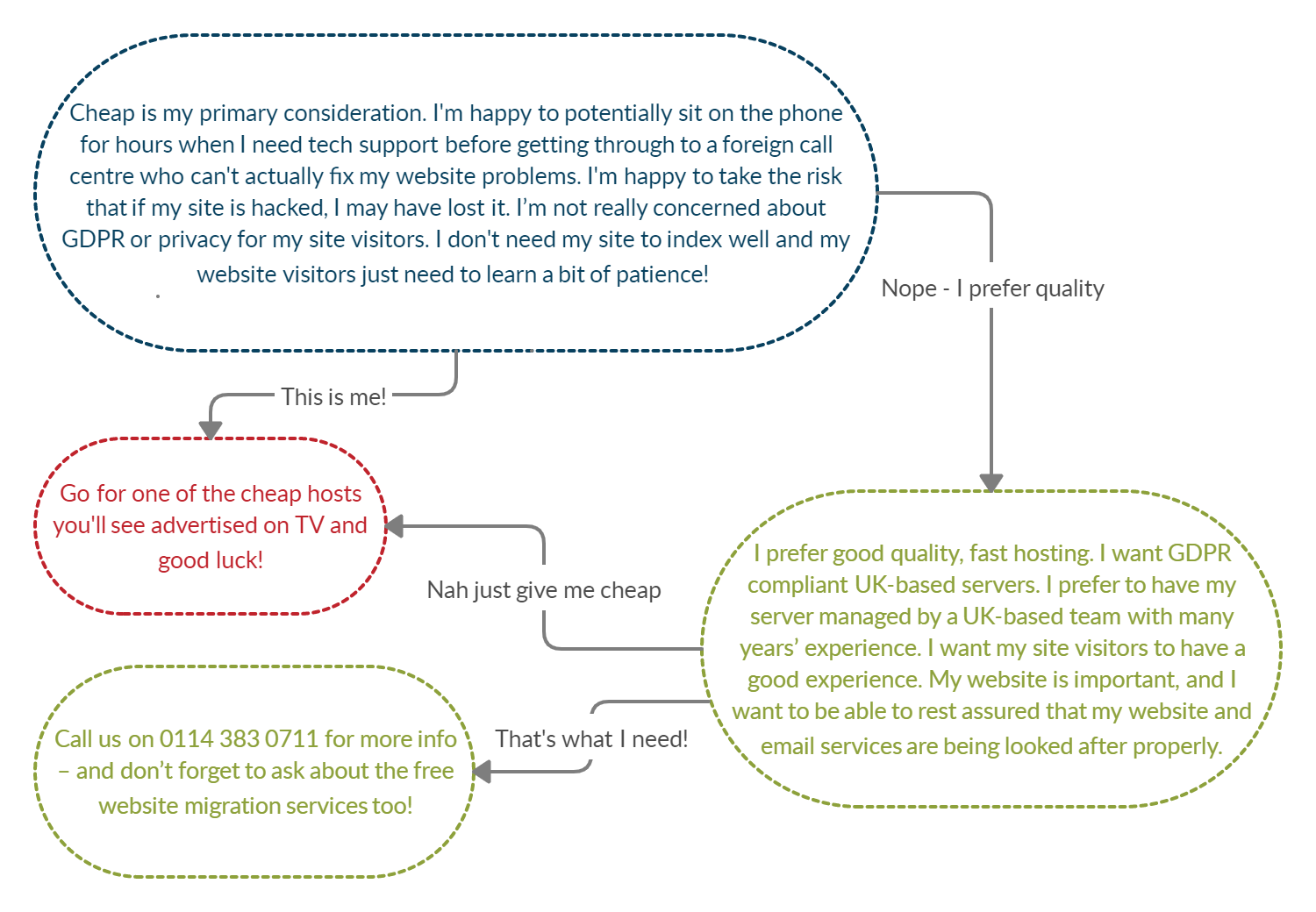
- Cost – you really do get what you pay for. Cheap hosting and special offers from companies like GoDaddy or Fast Hosts will reel you in but what happens when you need some tech support, your site gets hacked, you need to configure your email accounts, your prices go up, or when your server gets overloaded by all the other sites sharing your resources? Are you happy to compromise your site performance and SEO to save money?
- Technical support – is someone there to help you get things configured? Or do you really need to spend time doing it yourself? Or even worse, when your site gets hacked – who will help you fox things? Paying for hosting is also paying for tech support, however, you only find out how good or bad (or non-existent) the tech support is when you’ve paid, signed that contract, and it’s too late.
- Server performance – this is one of the factors Google takes into consideration when ranking your site. At the most basic level, you only get a certain amount of time for Google to index your site. If it’s waiting for pages to load, you’re going to miss the opportunity to have the site properly indexed by Google (and the other search engines for that matter!) Also, what happens when you get a spike in visitors? All you need is a mention on a larger website or some coverage in the papers and your site is down. And this is even before we get to the subject of your visitor experience! We all know how frustrating it is waiting for pages to load. This is affected by how ‘good’ your server is in terms of it’s performance under pressure. My advice is don’t take the gamble
- Flexibility – are you able to quickly and easily increase resources such as site storage? What happens when your site becomes busy and grows? Make sure you’re in a position to be able to quickly and easily increase resources when you need to. This includes having the right tech support available at the right time.
Our website hosting packages
We have three basic hosting packages – basic, premium and tailored. All servers are based in the UK.
The basic hosting is suitable for more basic sites that don’t use a complex content management system (such as WordPress) or for those who are not too concerned about site display speeds or the SEO benefits from higher-quality servers.
The premium hosting is suitable for more complex site, such as WordPress, and those who want to benefit from faster upper-level server tech-support, fast site display speeds, and fast server speeds.
The tailored hosting is suitable for larger, more complex sites such as eCommerce sites, Moodle learning platform, Open Cart, or Magento. Storage and server specifications (and of course the cost) are tailored to fit the requirements.
Other available website hosting options
We also have other options available such as:
Green website hosting – 100% carbon neutral & environmentally friendly website hosting suits those who want to show a commitment to the environment. Our green web hosting servers not only use modern energy efficient technology, but they’re also powered by 100% green energy.
Website migration services – move your website to us. Fed up with your current provider? It’s a VERY common problem. Give us the nod and we’ll do the rest. You’re not stuck!
Find out more about our website hosting packages
For more information on moving your site to us, upgrading your website hosting, or upgrading your server, give us a call on Sheffield 0114 383 0711